How to log in to Tolvnow
Instructions to log in to the admin panel and password recovery in case you forget.
See how to log in and start your session in the admin panel.
When you created your account on Tolvnow, we sent an email with your username and password for accessing the admin panel and a username and password for the support panel. Check your email to verify your administrator user data and then log in at https://www.tolvnow.com/login. To log in to Tolvnow, your account must be active.
How to log in
1 - Access www.tolvnow.com and click the "Login" button. You can also access the login page directly at: https://www.tolvnow.com/login/
2 - Find your administrator data, sent to the email address provided, and fill in the requested username and password fields.
3 - Click the "Login" button to start your session.
Password recovery
If you forgot your password, you can recover it using your registered username and email. If you don’t remember, have your CNPJ/CPF provided during account creation ready and contact our support team.
If you remember your username and email, on the login screen, click on the option "forgot your password?". Fill in the username, email and check the Captcha (I am not a robot). Then, click the recover button. See the image below:
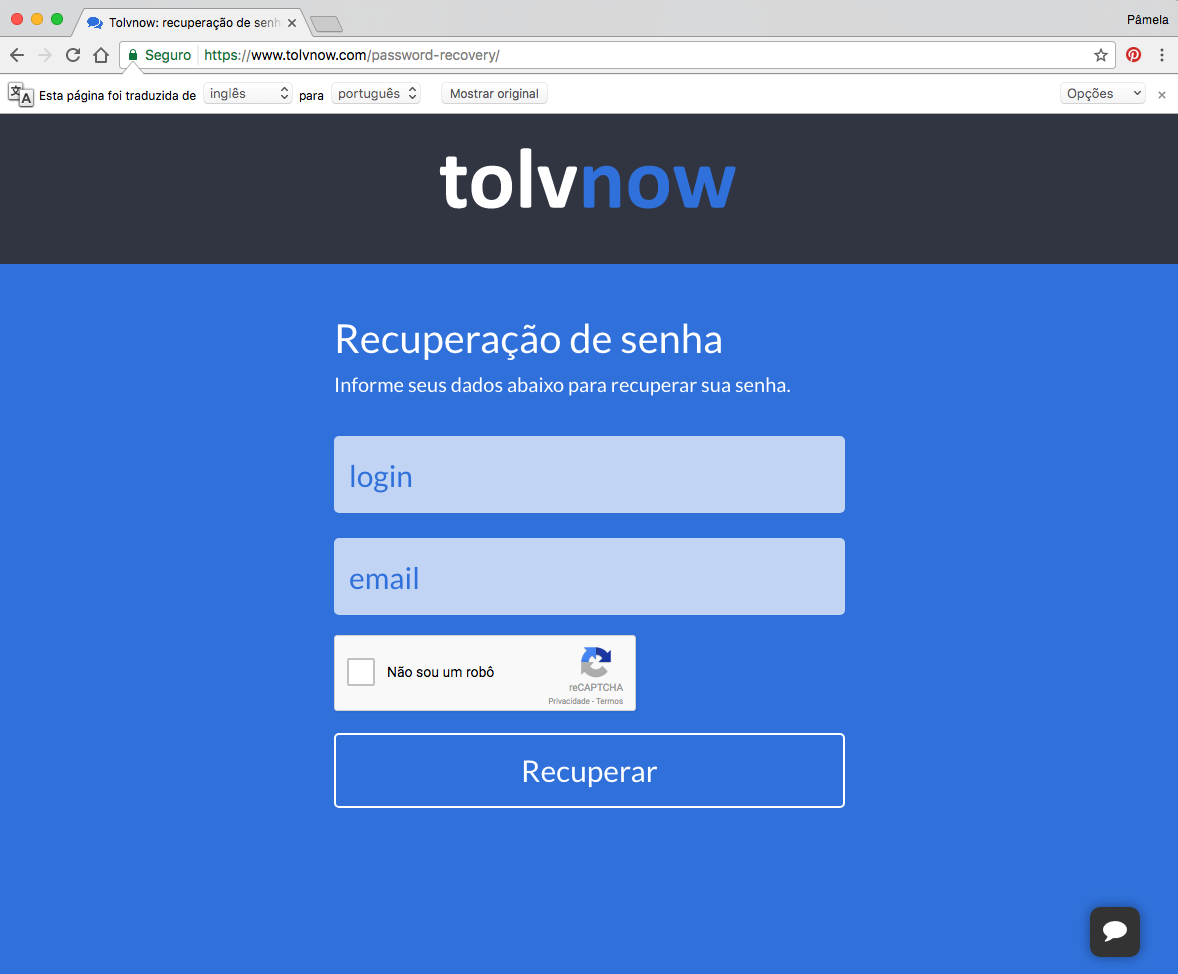
A message indicating that a password recovery email has been sent will be displayed. Next, access your email and find the email from Tolvnow with the subject "Password Recovery". Click the link in the email body, which will redirect you to a new form. Enter your new password and confirm it, check the Captcha again, and complete the process.
Notes:
• If an error message appears, something is wrong. It could be that the username or email entered is incorrect, or the email does not match the username. Repeat the steps, filling in all data correctly and checking the Captcha.
• If you did not receive the password recovery email, check your SPAM or Junk folder. If you still cannot find it, your email provider might be blocking the receipt.